
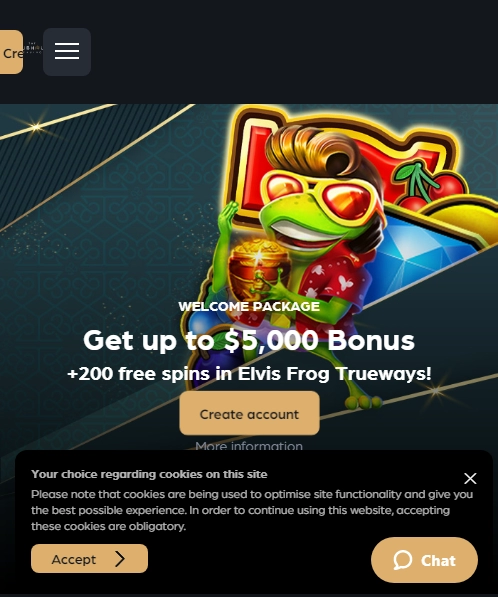
The Clubhouse Casino iOS App Download from the App Store
Here is a comprehensive guide for installing The Clubhouse Casino app on your iOS device. Begin by ensuring that your device is running iOS 12.0 or later, which is required for app compatibility.
- Open the App Store on your iPhone or iPad.
- In the search bar, type "The Clubhouse Casino app" and select the correct option from the results.
- Tap the "Get" button to start downloading.
- Once downloaded, tap "Open" to launch the app.
- Create an account or log in with your existing credentials.
After installation, new users can easily sign up using their email or Apple ID, while existing members can log in directly. The app offers a user-friendly experience, with simple navigation and quick access to mobile blackjack and roulette. It is a secure platform, providing peace of mind through Apple's robust security features.
Enjoy casino games on the go, taking advantage of the high-resolution displays on iPhones and iPads. The convenience of playing anywhere enhances the overall gaming experience, making this app a valuable addition to your device.
The Clubhouse Casino Android APK: Secure Download & Install
Android users seeking to enjoy The Clubhouse Casino apk can do so by following a secure and straightforward process. To ensure device safety and optimal performance, it's vital to download the APK from official sources only. This guarantees the app is free from malicious software.
Here are the steps to safely download and install the app on your Android device:
- Visit the official website and locate the download link for The Clubhouse Casino APK.
- Before downloading, ensure that your device allows installations from unknown sources. Navigate to Settings, then Security, and enable "Unknown Sources."
- Download the APK file and tap on it to begin the installation process. Follow the on-screen prompts to complete the installation.
- Once installed, open the app and grant any necessary permissions for optimal functionality.
- Regularly check for updates within the app to maintain security and access new features.
Unlike downloading from the Play Store, this method requires manual permission settings and file management. However, it provides direct access to the latest version of the app, ensuring users experience enhanced features without delay. Always prioritize security by verifying the source and keeping your device's software updated.
The Clubhouse Casino Exclusive Mobile Promotions
The Clubhouse Casino mobile app offers enticing exclusive promotions for app users. Newcomers can enjoy a welcome bonus, which enhances the initial deposit. Existing players benefit from ongoing offers tailored for their mobile experience, such as weekly cashback and free spins. VIP members receive special rewards, including personalized bonuses and priority support.
To activate these promotions, users must download the app and register. Some offers require a specific deposit amount or promo code. Terms and conditions apply, ensuring fair play. It's essential to read these to understand wagering requirements and withdrawal limits. Many offers are time-sensitive, so act quickly to take full advantage.
- Welcome bonus for app users
- Weekly cashback offers
- Exclusive VIP rewards
Enjoy the unique benefits and elevate your gaming experience with The Clubhouse Casino mobile app.
The Clubhouse Casino Troubleshooting & Support on Mobile
Using The Clubhouse Casino app should be a seamless experience, but occasionally, users may encounter issues such as loading errors, update failures, or login problems. Here are some solutions and support options available to help resolve these common challenges.
For loading errors, ensure your internet connection is stable. A strong Wi-Fi connection often resolves this issue. Restarting the app can also help. If the problem persists, clearing the app cache might be necessary. Update failures can often be resolved by checking for sufficient storage space on your device, as insufficient space can hinder updates. Ensure your device’s operating system is compatible with the latest version of the app; sometimes an outdated system can cause compatibility issues.
Login problems might arise from incorrect details or network issues. Double-check your login information for accuracy. If you’ve forgotten your password, use the password recovery option provided within the app. If network connectivity is a concern, switching between mobile data and Wi-Fi could help.
The Clubhouse Casino app offers multiple support options. Live chat is available for real-time assistance with issues, allowing users to get immediate help. Alternatively, email support is available for less urgent inquiries. The support team is committed to providing timely and efficient resolutions to ensure a positive user experience.
User feedback is highly valued and plays a crucial role in improving The Clubhouse Casino app. Feedback is collected through user reviews and surveys, which are regularly monitored. This input helps identify areas needing improvement and guides future updates. By actively listening to users, the app continually evolves to meet the needs and expectations of its community, ensuring that it remains a secure and enjoyable platform for all users.



 Bonus
Bonus